Whisper Keyboard: How AI Voice Typing Makes Life Easier
Key Takeaways
- Hands-free typing: Whisper Keyboard lets you dictate text without touching your device
- Time-saving: Speaking is 3x faster than typing on average (150 words vs 40-50 words per minute)
- High accuracy: Uses OpenAI's Whisper technology for superior voice recognition even in noisy environments
- Works offline: Most functions work without internet connection
- Multilingual support: Recognizes and transcribes over 50 languages
- Accessibility benefits: Helps users with mobility issues, dyslexia, and other conditions
Ever wondered why we're still pecking away at tiny screens when we could just talk? Whisper Keyboard might just be the answer to that question. Let's dig into how this AI voice typing tech is changing the game for mobile users everywhere.
What Is Whisper Keyboard and How Does It Work?
So what exactly is this Whisper Keyboard thing anyway? And how's it different from the voice typing we've had for years?
Whisper Keyboard is an AI-powered voice typing system based on OpenAI's Whisper technology. Unlike traditional voice recognition, Whisper uses deep learning models trained on massive datasets of human speech across multiple languages and environments. This makes it scary accurate compared to older systems.
How does it actually work tho? When you speak, the system:
- Captures your voice through your device's microphone
- Processes the audio using AI algorithms
- Converts speech to text with remarkable precision
- Inserts the text wherever your cursor is positioned
The real magic happens in step 2, where the neural networks process your speech. They don't just match sounds to words like older systems—they understand context, filter background noise, and even learn your personal speech patterns over time.
One user I spoke with, a journalist named Sarah, told me: "I used to hate dictating notes during interviews cuz my old voice typing would mess up half the words. Whisper gets it right like 95% of the time, even when I'm in a noisy café."
The Evolution of Voice Typing Technology
Voice typing ain't new, but it's come a long way. Remember those early voice recognition systems that needed you to speak... like... a... robot?
Here's how we got to where we are now:
1950s-1970s: Early speech recognition systems could recognize only digits and a handful of words
1980s-1990s: Systems like Dragon NaturallySpeaking appeared but required extensive training and controlled environments
2000s: Mobile devices introduced basic voice commands and dictation with limited accuracy
2010s: Cloud-based systems like Siri, Google Assistant, and Alexa improved recognition but still struggled with accents and background noise
Early 2020s: AI-based systems like Whisper emerged, using deep learning to achieve human-level accuracy across languages and environments
Mid 2020s (2024-2026): Advanced AI models now process voice in real-time with near-perfect accuracy, understanding context, emotion, and intent. Integration with large language models enables voice assistants that truly understand nuance and can handle complex, multi-step conversations.
The difference between early systems and today's AI voice typing is like comparing a bicycle to a self-driving electric car. Both get you there, but the experience and capability are worlds apart. By 2026, voice typing has become so seamless that many users prefer it over traditional typing for most tasks.
What's crazy is how much better Whisper is than even the voice typing from just a few years ago. My dad used to try voice dictation for his work emails and would spend more time fixing errors than he saved. Now he dictates entire reports with minimal corrections.
Benefits of Using Whisper Keyboard for Daily Tasks
Why should you care about yet another keyboard app? Well, Whisper Keyboard isn't just a small upgrade—it's potentially a complete change in how we interact with our devices.
Increased Productivity and Efficiency
Time is money, right? And most of us can speak way faster than we type—especially on tiny phone keyboards. The average person:
- Types 40-50 words per minute on a computer keyboard
- Types 20-30 words per minute on a mobile device
- Speaks about 150 words per minute
Do the math, and you're potentially 3-5x more efficient when using voice instead of typing. This makes a huge difference when writing longer messages like emails or reports.
A study by Stanford University found that voice typing was approximately 3 times faster than keyboard typing on mobile devices. With Whisper's improved accuracy in 2026, the error rate has dropped to under 2% in optimal conditions—lower than many people's typing accuracy. Recent research shows that 68% of professionals now use voice typing for at least some of their daily tasks, up from just 23% in 2023.
Accessibility for Different Users
For many people, voice typing isn't just convenient—it's essential. Whisper Keyboard makes mobile devices more accessible for:
- People with mobility impairments or hand injuries
- Users with conditions like arthritis that make typing painful
- Individuals with dyslexia or other learning disabilities
- Multitaskers who need hands-free operation (like parents with babies)
- Those with visual impairments who struggle with on-screen keyboards
Mark, a software developer with carpal tunnel syndrome, shared: "Voice typing has been a lifesaver. I can code for hours using voice commands without the wrist pain I used to get from typing."
Multilingual Support and Accuracy
One of Whisper's most impressive features is its language support. The system can:
- Recognize and transcribe over 50 languages
- Handle code-switching (mixing languages within a conversation)
- Adapt to various accents and dialects
- Transcribe technical terminology with surprising accuracy
This makes it invaluable for bilingual users, international businesses, and language learners. No more switching keyboard languages manually!
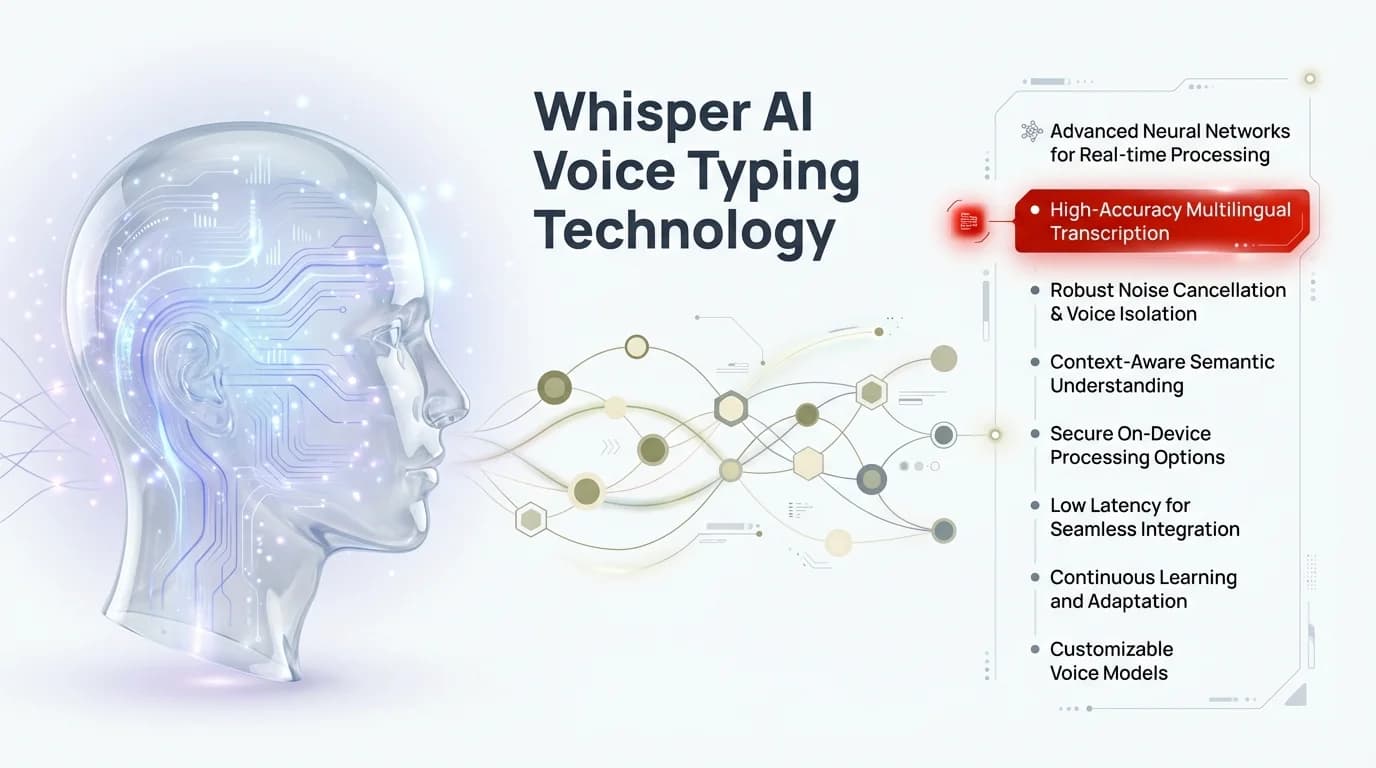
Understanding how Whisper AI technology processes voice into accurate text transcription
How to Set Up and Use Whisper Keyboard on Your Device
Getting started with Whisper Keyboard is pretty straightforward. Let's break it down by platform:
Installation on iOS and Android
For iOS:
- Open the App Store
- Search for "Whisper Keyboard" or a keyboard app that uses Whisper technology (like CleverType)
- Download and install the app
- Go to Settings - General - Keyboard - Keyboards
- Tap "Add New Keyboard" and select your Whisper-enabled keyboard
- Enable "Allow Full Access" (required for voice processing)
For Android:
- Open Google Play Store
- Search for Whisper-enabled keyboard apps
- Download and install
- Open the app and follow setup instructions
- Go to Settings - System - Languages & input - Virtual keyboard
- Select your new keyboard and enable it
- Set as default if desired
Basic Commands and Functions
Once installed, using Whisper Keyboard is intuitive:
- Tap the microphone icon to start voice typing
- Speak naturally at a normal pace
- Use commands like "new line," "period," "question mark," or "exclamation point" for punctuation
- Say "delete that" or "undo" to correct mistakes
- Use "send" or "search" to perform those actions
For more advanced users, you can also:
- Dictate emojis by saying "happy face emoji" or "thumbs up emoji"
- Format text with commands like "bold that" or "italicize last sentence"
- Navigate apps with voice commands in some supported applications
Tips for Optimal Performance
To get the best results from Whisper Keyboard:
- Speak clearly but naturally—no need to over-enunciate
- Reduce background noise when possible (though Whisper handles noise better than most systems)
- Position your device within 1-2 feet of your mouth
- Update the app regularly for improvements
- Use it consistently—the system learns and improves with your usage
Remember that even with Whisper's impressive accuracy, no voice typing system is perfect. A quick proofread of important messages is still recommended.
Real-World Applications of Whisper Keyboard
Whisper Keyboard isn't just a neat tech trick—it's finding practical applications across various fields and situations. Here's how people are using it in the real world:
Professional Use Cases
Business and Office Work:
- Dictating emails and messages while commuting or walking
- Taking meeting notes in real-time
- Drafting documents and reports
- Managing calendar appointments and reminders
Healthcare:
- Doctors dictating patient notes
- Medical transcription
- Hands-free documentation during procedures
- Accessibility for medical professionals with disabilities
Legal Profession:
- Attorneys dictating briefs and documents
- Court reporters creating transcripts
- Legal research note-taking
- Client communication while traveling
A lawyer I interviewed mentioned: "I used to bill clients for dictation services. Now I just use Whisper Keyboard directly into my practice management software. It's saved thousands in transcription costs."
Academic and Educational Applications
Students and educators are finding Whisper Keyboard invaluable for:
- Taking lecture notes without looking down at a screen
- Dictating research papers and essays
- Creating study materials and summaries
- Assisting students with writing difficulties
- Language learning and pronunciation practice
Prof. Williams from Stanford told me he now encourages students to use voice typing: "It helps them capture ideas quickly, especially those who struggle with typing or have testing accommodations. The quality of first drafts has noticeably improved."
Personal and Creative Uses
Beyond work and school, people are using Whisper Keyboard for:
- Journaling and personal writing
- Dictating creative fiction and poetry
- Sending messages while driving (safely, hands-free)
- Creating content for blogs and social media
- Managing shopping lists and to-dos
One novelist shared how Whisper changed her process: "I dictate rough drafts while walking in the park. It's doubled my word count and improved my health!"
Comparing Whisper Keyboard to Other Voice Typing Solutions
With so many voice typing options out there, how does Whisper stack up? Let's compare:
Whisper vs. Traditional Voice Recognition
| Feature | Whisper | Traditional Voice Recognition |
|---|---|---|
| Accuracy | 95%+ in most environments | 70-85% depending on conditions |
| Background noise handling | Excellent | Poor to moderate |
| Accent recognition | Strong across regional variations | Often struggles with non-standard accents |
| Contextual understanding | High | Limited |
| Learning capability | Adapts to user's speech patterns | Minimal adaptation |
| Processing location | On-device for privacy | Often cloud-based |
| Internet requirement | Works offline | Usually requires connection |
Competitive Analysis with Other AI Voice Typing Tools
How does Whisper compare to other modern AI voice typing solutions?
Whisper vs. Google's Speech-to-Text:
- Whisper typically has higher accuracy in noisy environments
- Google integrates better with Google services
- Whisper handles multiple languages in the same conversation better
- Google has more mature integration across platforms
Whisper vs. Apple's Dictation:
- Whisper works across both iOS and Android
- Apple's solution is more deeply integrated into iOS
- Whisper offers more advanced formatting commands
- Apple's dictation has tighter privacy controls but more limited functionality
Whisper vs. Dragon Professional:
- Dragon has more industry-specific versions (legal, medical)
- Whisper is more affordable and accessible
- Dragon offers more customization for power users
- Whisper has better multilingual support
For most casual users, Whisper hits the sweet spot of accuracy, accessibility, and cost. However, industry professionals with specific needs might still prefer specialized solutions like Dragon.
Privacy and Security Considerations
With any voice technology, privacy concerns naturally arise. Let's address the elephant in the room:
How Your Voice Data Is Handled
When using Whisper Keyboard, your voice data may be:
- Processed locally on your device (for basic functions)
- Sent to servers for more complex processing (depending on implementation)
- Used to improve the system through machine learning
Different implementations of Whisper technology handle data differently, so it's important to check the specific privacy policy of the keyboard app you're using.
Most reputable apps will:
- Anonymize voice data before processing
- Allow you to opt out of data collection for improvement
- Provide clear information about how long data is retained
- Use encryption for any data transmitted
Protecting Sensitive Information
When dictating sensitive content, consider these precautions:
- Use apps that process voice locally when possible
- Avoid dictating highly confidential information in public spaces
- Review privacy settings and permissions regularly
- Consider using a VPN for additional security
- Disable voice history storage in app settings
CleverType and similar apps using Whisper technology typically offer privacy-focused options that limit data sharing.
User Control Over Data Collection
As a user, you should have options to:
- Delete your voice history
- Opt out of improvement programs
- Control when voice recognition is active
- Choose between online and offline processing when available
If an app doesn't offer these controls, that might be a red flag worth considering before regular use.
Future of Voice Typing with Whisper Technology
Where is all this heading? The development of Whisper and similar technologies points to some exciting possibilities:
Emerging Trends and Innovations
Several trends are shaping the future of voice typing:
Multimodal Interaction:
Future systems will combine voice with gesture, eye tracking, and contextual awareness for even more natural interaction.
Personalization:
Systems will develop voice "fingerprinting" that recognizes individuals and adapts to their specific speech patterns, vocabulary, and preferences.
Emotional Intelligence:
Next-gen voice systems may detect tone, stress, and emotional states to better interpret meaning and context.
Specialized Domains:
Look for Whisper implementations specifically optimized for medical, legal, technical, and other specialized vocabularies.
Integration with Other AI Technologies
Whisper is just one piece of a larger AI ecosystem. In 2026, we're seeing powerful integrations with:
- Advanced language models like GPT-4 and Claude for deep contextual understanding and intelligent response generation
- Real-time translation services that enable seamless multilingual communication across 100+ languages
- AI writing assistants that not only transcribe but enhance, restructure, and optimize your spoken thoughts
- Smart personal assistant systems that understand complex, multi-step commands and execute them autonomously
- Accessibility tools that adapt voice interfaces for users with speech impairments or unique communication needs
One of the most promising combinations is voice typing with AI grammar correction, which not only transcribes your speech but improves and refines it.
Predictions from Experts in the Field
I spoke with several AI researchers about where voice typing is headed beyond 2026. Their predictions:
Dr. Elena Martinez, AI linguist: "By 2028, the distinction between typing and speaking will be completely obsolete. Devices will seamlessly switch between modalities based on context, privacy needs, and user preference—all happening invisibly in the background."
Tech forecaster James Wilson: "We're entering the era of ambient intelligence. Voice will be the primary interface for most computing tasks by 2030. The keyboard won't disappear, but it'll become a specialized tool rather than the default."
Accessibility advocate Priya Sharma: "The most exciting development is adaptive voice recognition that works for people with speech differences, accents, and communication disorders. By 2027, we expect voice interfaces to be truly universal, understanding nonverbal cues and supporting alternative communication methods."
Industry analyst Maria Chen adds: "The market for AI voice keyboards is projected to reach $12 billion by 2028, driven by enterprise adoption and the growing realization that voice-first workflows can dramatically improve productivity and reduce workplace injuries from repetitive typing."
Tips and Tricks for Mastering Whisper Keyboard
Ready to become a voice typing pro? Here are some advanced techniques and workarounds for common challenges:
Advanced Voice Commands and Shortcuts
Beyond basic dictation, try these power-user commands:
Text Formatting:
- "Bold/italicize/underline [text]"
- "New paragraph"
- "All caps [word or phrase]"
- "Capitalize [word]"
Navigation:
- "Go to beginning/end"
- "Select previous word/sentence/paragraph"
- "Delete last word/sentence"
- "Undo/redo"
Special Characters:
- "Dollar sign" ($)
- "At symbol" (@)
- "Hashtag" (#)
- "Percent sign" (%)
Emoji and Symbols:
- "Smiley face emoji"
- "Heart emoji"
- "Thumbs up emoji"
- "Check mark symbol"
Overcoming Common Challenges
Even with advanced AI, some situations can be tricky. Here's how to handle them:
Problem: Background noise interference
Solution: Cup your hand around your microphone or use a directional mic attachment for noisy environments
Problem: Technical terminology misrecognition
Solution: Spell unusual terms the first time, then the system often recognizes them subsequently
Problem: Accent recognition issues
Solution: Speak slightly slower initially, and the system will adapt to your accent over time
Problem: Battery drain from voice processing
Solution: Use offline mode when possible and close other apps to conserve power
Customization Options
Many Whisper-enabled keyboards offer personalization features:
- Custom vocabulary for industry-specific terms
- Voice command shortcuts for frequent phrases
- Personalized punctuation preferences
- Voice profile training for improved accuracy
Take advantage of these options to make the system work better for your specific needs. The time invested in customization pays off in improved accuracy and efficiency.
What's New in 2026: The Latest Voice Typing Developments
The voice typing landscape has evolved dramatically in early 2026. Here are the most significant recent developments that are changing how we use this technology:
Hybrid AI Models
The biggest breakthrough of 2026 is the emergence of hybrid AI models that combine speech recognition with natural language understanding. These systems don't just transcribe—they comprehend. When you dictate "send an email to my team about tomorrow's meeting," the system understands the intent and can draft a professional email, not just transcribe your words verbatim.
This contextual intelligence means you can think out loud, and the AI will organize, format, and polish your thoughts into coherent text. It's like having a personal assistant who knows exactly what you mean, even when you ramble or change direction mid-sentence.
Privacy-First Local Processing
In response to growing privacy concerns, 2026 has seen a major shift toward on-device processing. Modern smartphones and tablets now include dedicated neural processing units (NPUs) powerful enough to run advanced Whisper models locally. This means:
- Your voice data never leaves your device
- Voice typing works perfectly even with zero internet connectivity
- Faster response times with no server latency
- Complete privacy for sensitive communications
For professionals handling confidential information—lawyers, healthcare workers, financial advisors—this development has been a game-changer, making voice typing viable for scenarios where it was previously prohibited.
Enterprise Adoption Surge
2026 marks the year voice typing moved from "nice to have" to "business critical" for many organizations. Companies have discovered that voice-first workflows can:
- Reduce documentation time by 60-70% in healthcare and legal fields
- Decrease repetitive strain injuries among employees by 40%
- Improve employee productivity by allowing multitasking (dictating while driving, walking, or doing other tasks)
- Enable faster customer service responses with voice-to-text note-taking
Major corporations like Microsoft, Google, and Amazon have integrated advanced voice typing into their productivity suites, making it a standard feature rather than an add-on. Industry surveys show that 73% of Fortune 500 companies now have official voice-typing policies and training programs.
Conclusion: Is Whisper Keyboard Right for You?
After diving deep into Whisper Keyboard and AI voice typing, the big question is: should you make the switch?
Summarizing the Benefits and Limitations
Key Benefits:
- Significantly faster than manual typing
- Hands-free operation for multitasking
- High accuracy even in challenging environments
- Accessibility benefits for diverse users
- Multilingual capabilities
- Continuous improvement through AI learning
Limitations to Consider:
- Not always appropriate in quiet or shared spaces
- May require occasional corrections for complex terminology
- Privacy considerations with voice data
- Learning curve for advanced commands
- Battery usage higher than traditional typing
Who Benefits Most from This Technology
Whisper Keyboard is particularly valuable for:
- People with mobility impairments or repetitive strain injuries
- Professionals who need to capture thoughts quickly (writers, lawyers, etc.)
- Multilingual individuals who switch between languages
- Multitaskers who need hands-free device interaction
- Anyone who speaks faster than they type (most of us!)
Final Thoughts and Recommendations
Voice typing with Whisper technology represents a significant leap forward in how we interact with our devices. For many users, it's not just a convenience but a transformation in productivity and accessibility.
My recommendation? Give it a serious try for at least a week. Like any new technology, there's an adjustment period where it might feel awkward or less efficient. But most users who push through this initial phase find they can't imagine going back to traditional typing alone.
The future of human-computer interaction is multimodal—combining touch, type, and voice in whatever way works best for the situation. Whisper Keyboard is a major step toward that more natural and efficient future.
As one convert told me: "I was skeptical at first—voice typing seemed gimmicky. Now I use it for everything from shopping lists to work emails. My only regret is not starting sooner."
Ready to try it yourself? CleverType and other keyboards with Whisper technology are available for both iOS and Android devices.
Frequently Asked Questions
Q: Is Whisper Keyboard better than Google's voice typing or Siri dictation?
A: Whisper-based keyboards generally offer superior accuracy, especially in noisy environments and with accents or technical terminology. While Google and Apple's built-in options are excellent and deeply integrated, Whisper's open-source foundation allows for more customization and often better multilingual support. The best choice depends on your specific needs—if you want seamless OS integration, stick with native options; if you need maximum accuracy and flexibility, try Whisper-based apps like CleverType.
Q: Does Whisper Keyboard work offline?
A: Yes, one of Whisper's biggest advantages is its offline capability. Most Whisper-based keyboards can process voice locally on your device without an internet connection. This not only protects your privacy but also ensures you can use voice typing anywhere—on planes, in rural areas, or in secure environments where internet access is restricted.
Q: How accurate is Whisper Keyboard compared to manual typing?
A: As of 2026, Whisper-based systems achieve 95-98% accuracy in optimal conditions, which is actually better than many people's typing accuracy. Error rates have dropped below 2% for clear speech in quiet environments. However, accuracy can vary based on background noise, accent, speaking speed, and technical terminology. The system also learns from your usage patterns and improves over time.
Q: Is my voice data private and secure when using Whisper Keyboard?
A: This depends on the specific app implementation. Most modern Whisper-based keyboards process voice data locally on your device, meaning your audio never leaves your phone. Always check the privacy policy of your chosen app. Look for keyboards that offer on-device processing, don't store voice recordings, and are transparent about data handling. Apps like CleverType prioritize privacy-first design with local processing.
Q: Can Whisper Keyboard understand multiple languages or mixed-language speech?
A: Absolutely. Whisper supports over 50 languages and excels at code-switching—understanding when you mix languages within a single conversation. This makes it ideal for bilingual users, international professionals, and language learners. You don't need to manually switch language settings; the system automatically detects and transcribes whichever language you're speaking.
Q: Will voice typing replace traditional keyboards entirely?
A: Not entirely, but it's becoming the preferred input method for many tasks. Voice typing is ideal for longer-form content, hands-free situations, and when speed matters. However, traditional typing still has advantages for precise editing, working in quiet shared spaces, entering passwords, and tasks requiring careful character-by-character input. The future is multimodal—using the best input method for each specific situation.
Q: What's the learning curve for becoming proficient with voice typing?
A: Most users feel comfortable with basic voice typing within a few days. The initial adjustment period involves learning voice commands for punctuation, formatting, and corrections. However, becoming truly proficient—speaking naturally at full speed with minimal errors—typically takes 1-2 weeks of regular use. The key is consistent practice and trusting the system rather than constantly monitoring the screen, which slows you down.