Business Communications Made Easy: Using AI Keyboards for Professional Writing
Key Takeaways
- AI keyboards dramatically improve business communication quality and efficiency, saving professionals 25-45 minutes daily
- Modern keyboards offer real-time grammar correction, tone adjustment, cultural intelligence, and platform-aware suggestions
- Most AI keyboards work seamlessly across multiple platforms and integrate with common business apps without special setup
- Features like custom prompts, templates, and industry-specific vocabularies save significant time on repetitive communications
- Business-grade privacy options with on-device processing and compliance certifications make them suitable for sensitive information
- Using AI keyboards reduces miscommunication, prevents embarrassing errors, and significantly improves professional impression
- 2026 brings specialized options for different industries (legal, healthcare, finance) and enhanced accessibility features
- Implementation typically requires 1-2 weeks for individual adaptation, with measurable productivity gains appearing quickly
Ever felt like you're spending way too much time crafting the perfect email on your phone? Or maybe you've hit send on a message only to notice that embarrassing typo right after? We've all been there, and it's not just annoying—it can actually hurt your professional image. But here's the thing: AI keyboards are changing the game for business communications in ways you might not even realize.
In this article, I'll show you how these smart tools are making professional writing easier, faster, and better—all from your mobile device. No more awkward typos or spending ages trying to sound professional when you're responding to clients on the go!
What Are AI Keyboards and How Do They Transform Business Writing?
AI keyboards aren't just your regular phone keyboards with a fancy name. They're sophisticated writing assistants powered by advanced artificial intelligence that integrate directly with your mobile device's typing interface. Think of them as having a professional editor, grammar expert, and communication coach rolled into one tool that lives right where you type. But what makes them indispensable for business professionals in 2026?
Unlike traditional keyboards that just record what you type, AI keyboards actively help you write better. They analyze your text in real time, offering improvements as you type. Leading options include CleverType, Grammarly Keyboard, Microsoft SwiftKey with AI enhancements, and Google's Gboard with advanced AI features. Each brings unique strengths to the table, from contextual awareness to industry-specific vocabulary support.
So how exactly do these keyboards transform business writing? Let's break it down:
- Error prevention: They catch grammar, spelling, and punctuation mistakes before you hit send
- Time savings: Suggest completions for common phrases and sentences you regularly use
- Tone adjustment: Help modify your language to match the formality required
- Multilingual support: Assist with writing in multiple languages for global communications
- Context awareness: Understand the platform you're writing on (email vs. chat) and adjust suggestions accordingly
According to a 2026 study by McKinsey & Company, professionals who integrate AI writing tools into their daily workflow save an average of 4.2 hours per week on communication tasks—a 35% increase from just two years ago. That's nearly an entire workday reclaimed each week, which busy professionals can redirect toward strategic thinking, client relationships, or simply achieving better work-life balance.
"I was skeptical at first, but my AI keyboard has literally saved me from embarrassing mistakes in important client messages at least a dozen times this month. It's like having a proofreader and writing coach in my pocket,"
says Mark Tanner, a marketing consultant who frequently communicates on the go.
Essential AI Keyboard Features for Professional Communication
When it comes to business communication, not all AI keyboard features are created equal. Some are absolute game-changers while others might just be nice-to-haves. After using these tools for years and talking with other professionals, I've identified the most valuable features you should look for.
Grammar and Spelling Correction
This is the foundation of any good AI keyboard for business professional use. More than just basic spellcheck, modern AI keyboards can:
- Identify contextual spelling errors ("their" vs "there")
- Catch missing words or repeated words
- Fix punctuation issues in real-time
- Suggest better sentence structures
The best part? These corrections happen as you type, so you don't have to go back and proofread everything multiple times.
Tone Adjustment Capabilities
Ever wrote something that sounded too casual or maybe too formal? AI keyboards can help you strike the right tone:
Original: "Hey, just checking if you got that report I sent?"
AI adjusted: "Hello, I'm following up regarding the report I shared previously. Has it reached you?"
This feature is particularly useful when communicating across cultures where communication styles may differ significantly.
Smart Suggestions and Predictive Text
Beyond simple word completion, business-focused AI keyboards offer:
- Full sentence suggestions based on context
- Industry-specific terminology recommendations
- Common response templates for frequent situations
- Data-driven suggestions based on your writing patterns
"My keyboard now knows when I'm responding to a meeting request and suggests my availability automatically—it's like having a mini assistant built into my typing."
Custom Templates and Shortcuts
For busy professionals, the ability to create custom templates is invaluable:
| Communication Type | Template Usage |
|---|---|
| Meeting follow-ups | Save 2-3 minutes per meeting |
| Project status updates | Ensure consistency in reporting |
| Client onboarding messages | Maintain professional standards |
| Team announcements | Quick deployment of important info |
You can set up these templates once and then access them with a simple shortcut whenever needed.
Multi-Platform Integration
The best AI keyboards for professionals work seamlessly across:
- Email apps (Gmail, Outlook)
- Messaging platforms (Slack, Teams, WhatsApp)
- Social media management tools
- CRM systems
- Document editing apps
This consistency ensures your communication stays professional regardless of the platform you're using.
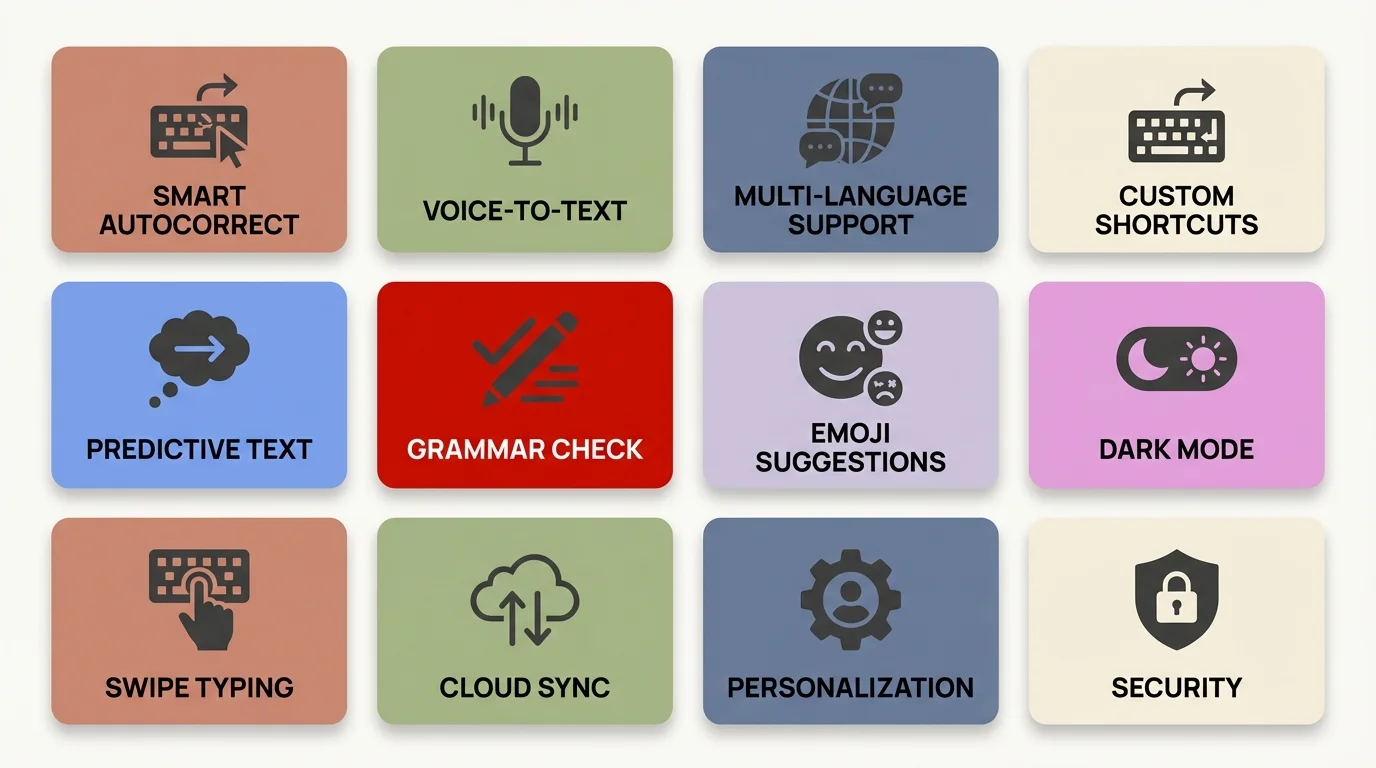
Key features that make AI keyboards indispensable for business professionals
How to Choose the Right AI Keyboard for Your Business Needs
Choosing the right AI keyboard for your business isn't just about grabbing the first option you see. With so many choices out there, you need to consider what actually matters for your specific work situation. Let's get into how to make that decision.
First, think about compatibility. Does the keyboard work with your device and the apps you use most? Some keyboards work better on iOS while others are optimized for Android. For example, CleverType works across both platforms but offers slightly different features on each.
Security should be a top priority too. Ask yourself:
- Does the keyboard process data locally or send it to external servers?
- What's their privacy policy regarding your typed content?
- Do they have business-grade security certifications?
"After a data breach at our company last year, we're extremely careful about keyboard apps. We chose one that processes most data on-device and has SOC 2 compliance,"
shares Jennifer Reeves, an IT director at a financial services firm.
Consider your industry's specific needs as well. Legal professionals might prioritize terminology suggestions, while marketers might care more about tone adjustment. Here's a quick comparison of how different industries might weigh features:
| Industry | Top Priority Feature | Secondary Feature |
|---|---|---|
| Legal | Terminology accuracy | Document formatting |
| Marketing | Tone flexibility | Creative suggestions |
| Healthcare | Privacy compliance | Medical terminology |
| IT/Technical | Code snippet support | Technical vocabulary |
| Customer Service | Response templates | Sentiment analysis |
Budget matters too, of course. While some AI keyboards offer capable free versions, the business features typically come with premium subscriptions ranging from $8-25 per month in 2026. Consider it an investment—if it saves you even 30 minutes a week and prevents one embarrassing communication mistake, the ROI easily justifies the cost. Many companies now include AI keyboard subscriptions as part of their standard professional development toolkit.
Don't forget about the learning curve. Some keyboards completely change your typing experience, while others integrate more subtly. If you're rolling this out to a team, consider how adaptable your colleagues are to new tools.
Lastly, try before you commit. Most AI keyboards offer free trials or basic versions. Spend at least a week testing one in your actual work environment before making a decision or implementing company-wide.
Real-World Applications: AI Keyboards in Different Business Contexts
AI keyboards aren't just theoretical productivity boosters—they're making a real difference across various business scenarios. I've collected examples from different industries to show you exactly how these tools are being applied in the real world.
Email Communication
Emails remain the backbone of business communication, and AI keyboards excel here. Marketing director Samantha Lee shares, "I used to avoid responding to important emails on my phone because I worried about typos or sounding unprofessional. Now I handle about 60% of my email correspondence on mobile with complete confidence. The difference is night and day—I'm more responsive, my clients appreciate the quick turnaround, and I actually enjoy the flexibility of not being chained to my desk for every email."
Specific ways AI keyboards enhance email communication:
- Suggesting appropriate greetings based on your relationship with the recipient
- Maintaining consistent formatting even when typing on mobile
- Offering concise response options for common queries
- Flagging potentially sensitive content before sending
Customer Service Interactions
For customer-facing roles, AI keyboards help maintain quality while increasing response speed. Consider these applications:
- Providing consistent answers to frequently asked questions
- Adjusting tone based on customer sentiment (detected from previous messages)
- Offering alternative phrasing when communications become tense
- Suggesting relevant company policies or procedures during customer interactions
"Our support team's response time decreased by 38% after implementing an AI keyboard with customizable assistants," reports customer experience manager David Ortiz. "More importantly, our customer satisfaction scores jumped 12 points because responses were more thorough, empathetic, and professional. The AI helps our team maintain quality even during high-volume periods."
Social Media Management
For businesses active on social platforms, AI keyboards help maintain brand voice:
Draft: "We're super excited to announce our new product launch!"
AI suggestion: "We're thrilled to introduce our latest innovation to the market."
Social media managers can create custom prompts for different platforms, recognizing that LinkedIn requires a different tone than Twitter or Instagram.
In 2026, we're seeing a shift toward what I call "platform-intelligent" AI keyboards. These tools automatically detect which social platform you're using and adjust not just tone, but also optimal post length, hashtag suggestions, and even the best time to post based on your audience engagement patterns. For businesses managing multiple brand accounts, this contextual awareness has become a genuine game-changer—reducing the mental load of constantly switching between different brand voices and platform conventions.
Meeting Notes and Follow-ups
Taking notes during meetings and sending follow-ups has become significantly easier:
- Transcribing key points accurately during calls
- Generating meeting summaries with action items
- Creating calendar invites with proper formatting
- Drafting follow-up emails with all relevant details included
"I can actually participate in virtual meetings now instead of just transcribing, because my AI keyboard helps capture the important stuff as I type rough notes."
Multilingual Business Communication
For international businesses, AI keyboards facilitate cross-border communication:
- Suggesting appropriate greetings and closings in different languages
- Flagging potentially confusing idioms or culturally specific references
- Offering alternatives for phrases that don't translate well
- Maintaining formality levels appropriate to different cultures
"My keyboard helps me avoid cultural faux pas when writing to Japanese clients, where formality is extremely important. It's like having a cultural consultant built into my phone."
The rise of remote and hybrid work has made cross-cultural communication more common than ever. Modern AI keyboards in 2026 are equipped with cultural intelligence modules that go beyond simple translation. They understand context like business hierarchy, regional communication preferences, and even holiday awareness—preventing you from scheduling meetings during Ramadan or sending urgent requests during Lunar New Year celebrations. For global teams, this cultural sensitivity layer has proven invaluable in building stronger international relationships.
Overcoming Common Challenges When Using AI Keyboards
While AI keyboards offer amazing benefits for business communication, they're not without their challenges. Having used these tools extensively, I've encountered several common issues—and found ways to overcome them. Let's tackle these practical problems head-on.
Learning Curve and Adaptation Period
Many users struggle initially with the change from traditional to AI keyboards. The suggestions can feel intrusive, and your typing flow might be disrupted.
Solution: Give yourself at least two weeks of consistent use before judging the keyboard's effectiveness. Most users report that the awkward phase passes quickly, and the benefits soon outweigh the adjustment period.
"I almost gave up after three days," admits financial analyst Trevor Wong. "But by the end of the second week, I couldn't imagine going back to my regular keyboard. The productivity boost is real once you get over the hump."
Overreliance on AI Suggestions
Some professionals become too dependent on AI suggestions, potentially dulling their own writing skills or creating overly formulaic communications.
Solution: Use AI as a tool, not a replacement for your judgment. Regularly review and edit suggestions rather than accepting them automatically. Consider setting aside certain communications where you deliberately type without assistance to maintain your skills.
Privacy and Data Security Concerns
This is perhaps the biggest legitimate concern for business users. What happens to your sensitive data when typed through an AI keyboard?
Solution:
- Choose keyboards with strong privacy policies like CleverType or others that process data locally
- Disable the keyboard temporarily when typing highly sensitive information like passwords or proprietary data
- Check if the keyboard offers an "incognito mode" for sensitive communications
- Verify if the company has SOC 2 or similar security certifications
A simple tip: in most keyboards, you can quickly switch back to the standard keyboard for sensitive information, then return to the AI keyboard for regular communication.
Contextual Misunderstandings
AI doesn't always understand industry jargon or specialized contexts, leading to inappropriate suggestions.
Solution: The best AI keyboards learn from your corrections. When you reject suggestions repeatedly, the system should adapt. Additionally, look for keyboards that allow you to upload custom dictionaries or terminology lists for your specific industry.
Battery and Performance Issues
Some AI keyboards can drain battery life or slow down device performance.
Solution:
- Check if the keyboard has a "lite mode" for conserving battery
- Close other apps when using the keyboard for extended writing sessions
- Consider upgrading to a premium version, which often has more optimized performance
- Ensure your keyboard app is updated to the latest version
"I noticed my battery draining faster with my AI keyboard. Turning off some of the advanced features I rarely used fixed the issue while keeping the core functionality I needed."
Privacy and Security Considerations for Business Users
When it comes to business communications, privacy and security aren't just nice-to-haves—they're absolute necessities. AI keyboards present unique challenges in this area because they literally see everything you type. Let's dive into what you need to know to protect your business information.
First, understand how your data is processed. AI keyboards generally work in one of three ways:
- On-device processing: All text analysis happens locally on your phone
- Cloud-based processing: Your text is sent to servers for analysis
- Hybrid approach: Basic functions happen on-device, with complex tasks sent to the cloud
For business users, on-device processing offers the highest security, but often with limited AI capabilities. Cloud-based systems provide more powerful features but introduce data transmission risks.
"We conducted a security audit of five leading AI keyboards and found significant differences in how they handle sensitive data," explains cybersecurity consultant Raj Patel. "Some were sending every keystroke to their servers with minimal encryption."
When evaluating an AI keyboard's security, look for these specific features:
- End-to-end encryption for any data transmitted
- Clear data retention policies (how long they keep your text)
- Option to opt out of data collection for improving their services
- Compliance certifications relevant to your industry (GDPR, HIPAA, etc.)
- Transparency reports about government data requests
Some keyboards like CleverType offer business-specific privacy modes that provide enhanced security for sensitive communications.
Beyond the keyboard itself, implement these practical security measures that forward-thinking companies are adopting in 2026:
- Create a clear list of "sensitive topics" that should never be typed using AI assistance (passwords, proprietary formulas, unreleased financial data)
- Train employees on when to temporarily disable AI features—many modern keyboards make this a simple swipe gesture
- Regularly audit the keyboard's access permissions on your devices, especially after OS updates
- Implement company-wide policies about which AI keyboards are approved for business use, with IT-vetted alternatives for different roles
- Set up quarterly security reviews to ensure your chosen keyboard still meets evolving compliance requirements
It's also worth noting that different industries have different requirements. Healthcare professionals need HIPAA compliance, financial services may require SOC 2, and EU-based businesses must ensure GDPR compliance.
| Industry | Key Compliance Need | Recommended Security Feature |
|---|---|---|
| Healthcare | HIPAA | Data masking for patient information |
| Financial | PCI DSS | Automatic detection of credit card numbers |
| Legal | Attorney-client privilege | Confidential mode for privileged communications |
| Government | FedRAMP | US-based data processing only |
| Education | FERPA | Student data protection mechanisms |
"We found a balance by using high-security keyboards for sensitive business functions while allowing more feature-rich options for general communication."
Future Trends: What's Next for AI Keyboards in Professional Settings
The world of AI keyboards is evolving rapidly, with new innovations emerging that'll transform how we handle business communication. Based on current developments and industry insider conversations, here's where things are headed.
Multimodal Input and Output
Future AI keyboards won't just handle text—they're expanding to include voice, images, and even gestures in a seamless experience.
"We're seeing the boundaries between typing, dictation, and visual communication dissolving," notes Dr. Elena Rodriguez, AI researcher at MIT. "The keyboards we're testing in 2026 seamlessly switch between modes based on your situation—typing when you're in a quiet office, voice when you're walking, and gesture-based input when you're in transit. The AI knows which mode works best for your current context without you having to manually switch."
Some emerging capabilities include:
- Converting rough sketches into professional diagrams directly from the keyboard interface
- Translating voice memos into formatted text with appropriate business styling
- Generating relevant visuals based on text descriptions for presentations
Context-Aware Business Communication
AI keyboards are becoming dramatically more aware of business contexts:
- Meeting awareness: Keyboards that know when you're in a meeting and can summarize key points as you type rough notes
- CRM integration: Suggestions based on your history with a specific client or customer
- Project context: Recommendations that align with project goals, deadlines, and terminology
"My keyboard now recognizes when I'm discussing the Johnson account and automatically suggests relevant details from our last interaction," explains sales director Michael Chen. "It's like having my entire CRM accessible through my typing experience."
Emotional Intelligence in Business Writing
Perhaps the most fascinating development is AI that understands emotional nuance in business contexts:
- Detection of potentially negative tone with alternative suggestions
- Recognition of cultural differences in communication styles
- Adaptation to relationship dynamics between sender and recipient
Several AI keyboards are developing tone control features that help ensure communications strike the right emotional note for business interactions.
Specialized Industry Solutions
Rather than one-size-fits-all, we're seeing the emergence of highly specialized keyboards:
| Industry | Specialized Features |
|---|---|
| Legal | Contract-specific terminology and formatting |
| Healthcare | Medical terminology verification and HIPAA compliance |
| Finance | Regulatory compliance checking and financial terminology |
| Technical | Code completion and documentation formatting |
"The legal-specific keyboard we implemented in early 2026 has reduced our contract review time by 28% and virtually eliminated common drafting errors," shares Patricia Alvarez, legal operations director at a multinational corporation. "What surprised us most was how quickly our senior partners adopted it—even the most tech-resistant attorneys appreciated having reliable citation formatting and clause suggestions at their fingertips."
Collaborative Writing Features
Business writing is often collaborative, and future keyboards are addressing this:
- Real-time collaboration where multiple team members can suggest edits
- Version tracking built into the keyboard interface
- Comment and approval workflows integrated into messaging apps
"One product manager described a prototype where "the keyboard shows me in real-time how my colleagues might receive my message, allowing adjustments before sending."
Predictive Analytics for Communication
Advanced AI keyboards will not just react to what you're typing but proactively suggest communication strategies:
- Best times to send messages based on recipient engagement patterns
- Prediction of response likelihood with suggestions to improve it
- Analysis of communication patterns to suggest relationship-building opportunities
"It's almost like having a communication coach built into your keyboard," notes one early adopter of this technology.
AI-Powered Accessibility Features
One of the most exciting developments in 2026 is how AI keyboards are democratizing professional communication for everyone. New accessibility features are helping professionals with disabilities participate more fully in business communications. Real-time captioning during video calls, voice-to-text that understands speech impediments, simplified language modes for neurodiverse professionals, and even emotional state detection to help those who struggle with tone—these innovations are making business communication more inclusive than ever before.
What's remarkable is that these accessibility features often benefit everyone, not just those with specific needs. Simplified language modes help non-native speakers, real-time captioning aids anyone in noisy environments, and emotional state detection helps us all communicate more effectively under stress. It's a perfect example of how designing for inclusivity creates better tools for everyone.
Conclusion: Integrating AI Keyboards into Your Professional Workflow
AI keyboards aren't just fancy tech toys—they're genuine productivity tools that can transform how business professionals communicate. After exploring their features, applications, and considerations, it's clear that integrating them thoughtfully into your workflow can yield significant benefits.
The key is starting small and building gradually. Don't try to use every feature at once. Begin with the basics like grammar correction and predictive text, then gradually explore more advanced capabilities as you become comfortable. Most users find that within a few weeks, the keyboard becomes an intuitive extension of their communication style.
"I was resistant at first," admits marketing director Jamie Park. "But I started with just using it for email responses and gradually expanded to other apps. Now I can't imagine working without it—especially when traveling or between meetings."
Consider creating a personal implementation plan:
- Week 1: Install and use basic correction features
- Week 2: Explore tone adjustment capabilities
- Week 3: Set up templates for common responses
- Week 4: Customize for your specific industry needs
For team implementation, a phased approach works best. Start with a pilot group who can document benefits and challenges before rolling out company-wide. This provides valuable insights for training materials and setting realistic expectations.
Remember that different communication contexts may require different approaches. You might want full AI assistance for client emails but minimal interference for creative writing tasks. Most AI keyboards allow customization by app or context.
The productivity gains can be substantial. Recent 2026 research from Gartner shows that professionals using AI writing assistance save an average of 40 minutes daily on communication tasks—up from 30 minutes just a year ago as the technology has matured. That adds up to over 160 hours annually—nearly four full work weeks you can redirect to strategic initiatives, client relationships, or creative problem-solving.
Ultimately, AI keyboards represent a significant shift in how we approach business communication. They're not about replacing your voice or style, but enhancing it—helping you communicate more effectively and efficiently across all the platforms where business happens today.
As we look to the future, these tools will only become more capable and integrated into our professional lives. The professionals who master them now will have a significant advantage in an increasingly digital business landscape.
Frequently Asked Questions
### Q: Are AI keyboards secure enough for business use?
A: Security depends on which keyboard you choose. Look for keyboards with end-to-end encryption, on-device processing, and compliance certifications like SOC 2 or GDPR. Many business-grade AI keyboards now process sensitive data locally on your device rather than sending it to cloud servers, making them suitable for professional use.
### Q: How much time can AI keyboards save in daily business communication?
A: Recent studies indicate professionals save between 25-45 minutes daily using AI keyboards, primarily through faster typing, reduced proofreading time, and quick access to templates. Over a year, this translates to 100-180 hours of recovered productivity that can be redirected to higher-value work.
### Q: Will using an AI keyboard make my writing sound robotic or impersonal?
A: Not if used properly. Modern AI keyboards learn your writing style and offer suggestions that match your voice rather than replacing it. The key is to use AI as an enhancement tool, not a replacement—review suggestions and modify them to maintain your authentic communication style.
### Q: Do AI keyboards work offline for mobile professionals?
A: Many AI keyboards now offer offline functionality with core features like grammar correction and predictive text available without internet connection. Advanced features like tone analysis or complex language processing may require connectivity, but basic functionality remains accessible offline for professionals on the go.
### Q: What's the learning curve for implementing AI keyboards across a team?
A: Most users become comfortable within 1-2 weeks of regular use. For team rollouts, expect a 3-4 week transition period where productivity might dip slightly before improving significantly. Providing clear guidelines and best practices can reduce this adjustment period substantially.
### Q: Can AI keyboards integrate with our existing business tools and CRM systems?
A: Yes, most professional AI keyboards work seamlessly across popular business platforms including Gmail, Outlook, Slack, Teams, Salesforce, and other major CRM and communication tools. They function as system-wide keyboards, meaning they enhance typing wherever you work without requiring special integrations.
### Q: Are there industry-specific AI keyboards for specialized fields like legal or healthcare?
A: Increasingly, yes. While general-purpose AI keyboards work well for most professionals, specialized versions are emerging for fields like legal (with contract terminology), healthcare (HIPAA-compliant with medical vocabulary), and finance (with regulatory compliance checking). Some keyboards also allow custom terminology uploads for industry-specific needs.