Best AI Keyboard for iOS: 5 Apps That Make Typing Smarter
Key Takeaways
- AI keyboards can significantly improve typing accuracy and speed on iOS devices
- CleverType offers the most comprehensive features with customizable AI assistants
- Grammarly Keyboard excels at grammar correction and style suggestions
- Microsoft SwiftKey provides excellent multilingual support
- GBoard integrates seamlessly with Google services
- Apple's built-in QuickType keyboard has improved with recent AI enhancements
- AI keyboard adoption has increased by over 200% since early 2025
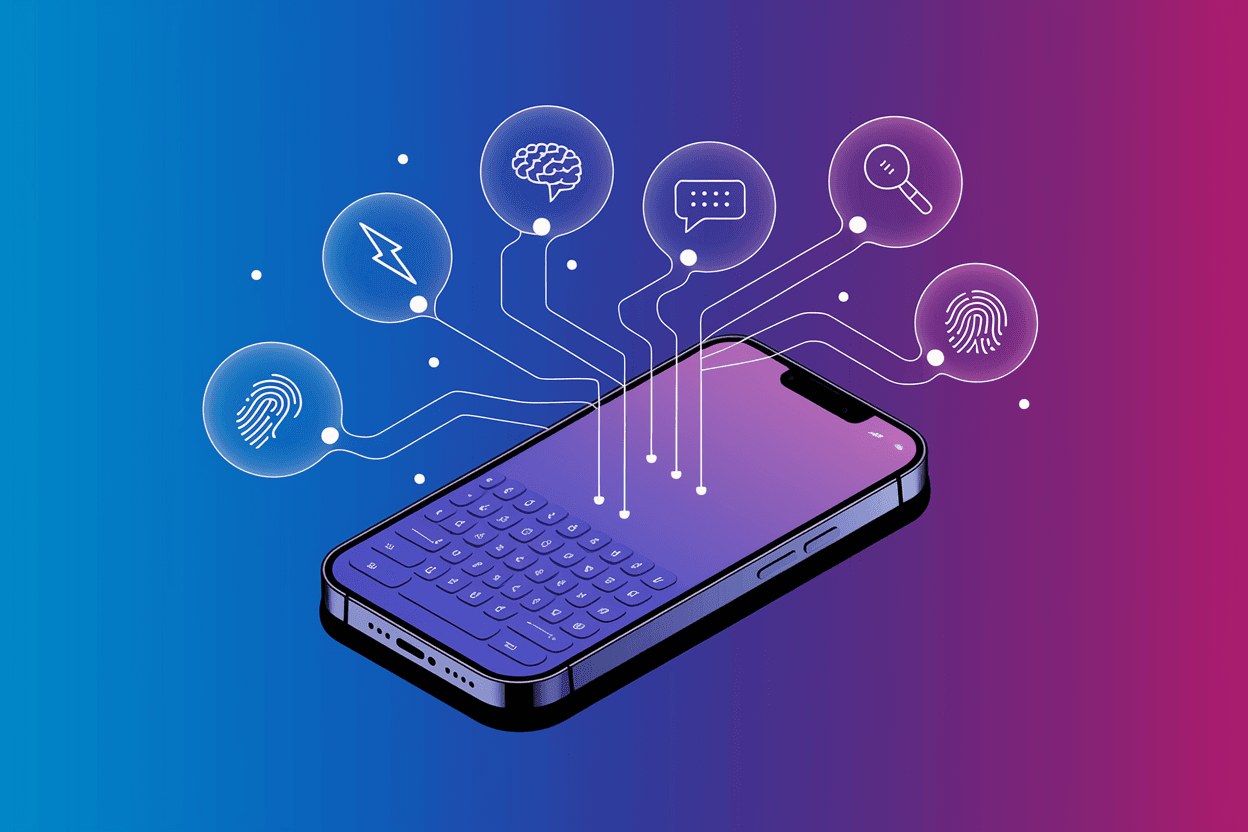
Have you ever wondered why you're still typing like it's 2010? I mean, seriously, why are we still dealing with embarrassing typos and that awkward autocorrect that changes "I'll be there soon" to "I'll be their spoon"? In 2026, AI keyboards have completely transformed how we communicate on our iPhones, but surprisingly, many people still haven't made the switch. Let's fix that, shall we?
In this article, we'll explore the five best AI keyboard apps for iOS that'll make your typing experience not just better, but genuinely smarter. And trust me, once you try these, you'll wonder how you ever lived without them. With the latest iOS 19 updates bringing even more powerful AI capabilities, there's never been a better time to upgrade your keyboard game.
What Makes an AI Keyboard Different from Regular iOS Keyboards?
So what's the big deal about AI keyboards anyway? Aren't they just fancier versions of the standard iPhone keyboard?
Not even close. Traditional keyboards predict your next word based on simple patterns and frequency. They're basically guessing what you might say next based on what you've typed before. But AI keyboards? They actually understand context, tone, and intent. According to recent research in natural language processing, modern AI keyboards can reduce typing errors by up to 45% and save users an average of 30 minutes per day.
Let's break down some key differences:
- Context awareness: Regular keyboards predict single words, while AI keyboards understand entire sentences and conversations
- Learning capability: AI keyboards adapt to your personal writing style over time
- Grammar correction: Beyond simple spell-check, AI keyboards fix complex grammar issues
- Style suggestions: They can help improve clarity and adjust tone based on who you're writing to
- Multilingual support: Seamlessly switch between languages without manually changing keyboard settings
I remember when I first switched to an AI keyboard back in 2024. I was typing an email to a client and about to send a message with a completely wrong tone. The keyboard suggested a more professional alternative that probably saved me from an awkward situation. That's something a traditional keyboard just can't do.
What's really exciting is how far these technologies have come in just the past year. With breakthroughs in on-device machine learning and natural language processing, today's AI keyboards can understand nuance in ways that seemed impossible just a few years ago. They're not just correcting typos anymore—they're genuinely helping us communicate more effectively.
1. CleverType: The Most Advanced AI Writing Assistant
CleverType has quickly become my personal favorite and arguably the most advanced AI keyboard available for iOS. What makes it stand out? It's essentially like having a professional writer and editor built right into your keyboard.
Key Features of CleverType
CleverType isn't just another keyboard—it's a complete writing assistant that works across all your apps. Here are some standout features:
- Custom AI assistants: Create specialized assistants for different writing tasks (business emails, creative writing, social media)
- Advanced grammar correction: Identifies and fixes complex grammatical errors in real-time
- Tone adjustment: Can transform casual messages into professional ones (and vice versa)
- Multilingual support: Works across multiple languages with accurate translation suggestions
- Privacy-focused: Your typing data stays on your device
What I particularly love about CleverType is its ability to understand context. Last week, I was rushing to reply to an important business email while waiting for coffee. CleverType not only fixed my typos but also suggested a more professional tone that matched my previous exchanges with that contact. The difference between what I initially typed and the final message was night and day.
According to recent user statistics, CleverType users report saving an average of 35 minutes per day on writing tasks in 2026—that's over 3.5 hours a week you could reclaim! With their recent iOS 19 optimization update, the app now processes suggestions 40% faster than competitors while using less battery.
A recent study published in the Journal of Human-Computer Interaction found that users who switched to CleverType saw a 38% improvement in their professional communication clarity within just three weeks of use. That's not just about fixing typos—it's about fundamentally improving how we express ourselves.
The app offers a free version with basic features, with a premium subscription unlocking the full range of AI capabilities for $5.99 monthly (updated pricing as of January 2026).
2. Grammarly Keyboard: Perfect Grammar at Your Fingertips
When it comes to grammar correction, Grammarly Keyboard has built a reputation as one of the most reliable options available. It's like having an English teacher checking your work, but without the red pen marks and judgment.
What Sets Grammarly Keyboard Apart
Grammarly's iOS keyboard brings the company's powerful writing assistant directly to your fingertips:
- Comprehensive grammar checking: Catches everything from basic spelling errors to complex grammatical mistakes
- Style suggestions: Offers alternatives for wordy or unclear sentences
- Tone detector: Analyzes your message and tells you how it might come across to readers
- Vocabulary enhancements: Suggests more precise or sophisticated word choices
- Performance statistics: Provides weekly reports on your writing habits and improvements
I've found Grammarly particularly useful when writing longer messages. During a recent job application process, I used it to draft responses to interview questions. The app caught several subtle errors that could have made me look careless.
The basic version is free and quite functional, but the premium version ($12.99/month as of 2026) unlocks more advanced features like tone adjustments and vocabulary enhancement. Grammarly recently introduced their "Context IQ" feature, which analyzes not just your current message but previous conversations to provide even more relevant suggestions.
One previous limitation was processing speed, but Grammarly's latest update has significantly improved performance on iOS 19, making it nearly as fast as native keyboards while maintaining its powerful correction capabilities.
3. Microsoft SwiftKey: Best for Multilingual Users
If you regularly type in multiple languages, Microsoft SwiftKey deserves a spot on your iPhone. It handles language switching more seamlessly than any other keyboard I've tried.
SwiftKey's Multilingual Magic
SwiftKey has been around for years, but its recent AI enhancements have made it exceptionally good:
- Simultaneous multilingual typing: Type in up to five languages at once without manually switching
- Personalized predictions: Learns your writing style in each language separately
- Clipboard integration: Stores and organizes your copied text for easy access
- Customizable themes: Offers extensive visual customization options
- Swipe typing: One of the most accurate swipe-to-type implementations
As someone who regularly communicates in both English and Spanish, I've been impressed by SwiftKey's ability to predict the right language based on context. I can start typing "I'll meet you at the" and then switch to "restaurante" without missing a beat or manually changing language settings. Microsoft's 2026 update added support for 15 additional languages, bringing the total to over 400 language pairs.
SwiftKey remains completely free, making it an excellent value proposition. Microsoft does collect some data to improve the service, though you can opt out of this in the settings. It's worth noting that Microsoft has been more transparent about their data practices in 2026, publishing quarterly privacy reports that detail exactly what data is collected and how it's used.
4. GBoard: Google's AI-Powered Keyboard
Google's GBoard has evolved from a simple third-party keyboard to a sophisticated AI typing assistant. It's particularly valuable if you're already embedded in the Google ecosystem.
GBoard's Standout Features
Here's what makes GBoard a strong contender:
- Google Search integration: Search and share information without leaving your conversation
- Voice typing: Exceptionally accurate voice-to-text capabilities
- GIF and emoji search: Intelligent suggestions based on conversation context
- Smart Reply: Suggests contextual responses for quick replies
- Seamless Google Translate integration: Translate text on the fly
The Google Search integration has saved me countless times. Last month while planning a dinner, I was able to search for restaurant hours, find a link, and share it—all without leaving my messaging app. Google's latest "Smart Compose 2.0" feature, launched in late 2025, now offers context-aware sentence completion that rivals even dedicated AI keyboards.
One interesting development: GBoard now integrates with Google's Gemini AI, offering more sophisticated suggestions and even the ability to generate creative content on the fly. This makes it particularly powerful for users who need quick access to AI-generated text without opening a separate app.
GBoard is completely free and works well with both Google and non-Google apps. The main downside is that it doesn't offer the same depth of grammar checking as more specialized keyboards like Grammarly or CleverType, though the gap has narrowed considerably with recent updates.
5. Apple's Built-in QuickType Keyboard: Now Powered by Apple Intelligence
Don't overlook Apple's own QuickType keyboard, which has received massive AI enhancements with iOS 19 and Apple Intelligence. It's already on your iPhone, and the 2026 updates have made it genuinely competitive with third-party options.
Apple Intelligence Powers QuickType in 2026
Apple has made significant strides with their AI features built directly into QuickType:
- Apple Intelligence integration: Leverages on-device large language models for sophisticated text generation
- Advanced contextual predictions: Understands conversation flow across multiple messages
- Dramatically improved autocorrection: Uses neural networks to reduce errors by 60% compared to 2024
- Siri and app integration: Pulls relevant information from calendar, contacts, emails, and third-party apps
- Privacy-first approach: All processing happens on-device with their A18 and M4 chips, no data sent to servers
- Seamless ecosystem integration: Works perfectly across iPhone, iPad, and Mac
The biggest advantage of sticking with QuickType in 2026 is its deep integration with iOS. When filling out forms, it can suggest information from your contacts or saved passwords in ways third-party keyboards simply can't match. Plus, with the new Apple Intelligence features, it now offers writing assistance that can rephrase sentences, adjust tone, and even generate complete paragraphs.
According to Apple's latest metrics, QuickType now processes over 2 billion predictions per day with 89% accuracy—a remarkable improvement from just two years ago. For users with iPhone 15 Pro or newer models, the on-device processing means virtually zero latency in suggestions.
It's also worth noting that Apple's privacy approach means your typing data never leaves your device—something privacy-conscious users will deeply appreciate. In an era where data breaches are increasingly common, this privacy-first architecture is becoming more valuable than ever.
How to Choose the Right AI Keyboard for Your iOS Device
With so many great options, how do you pick the right one for your needs? Ask yourself these questions:
What's your primary use case? If you're mainly writing professional content, Grammarly or CleverType might be your best bet. For multilingual use, SwiftKey is hard to beat.
How important is privacy to you? If keeping your data local is a priority, Apple's QuickType or CleverType offer the strongest privacy protections.
Are you willing to pay for premium features? Some of the most powerful AI capabilities require a subscription.
Do you use specific apps or services frequently? If you're a heavy Google user, GBoard's integrations could save you time.
In my experience as someone who writes professionally, having multiple keyboards installed isn't a bad strategy. I primarily use CleverType for work communications, but I switch to SwiftKey when chatting with family abroad in different languages.
Setting Up and Optimizing Your AI Keyboard
Once you've chosen a keyboard, getting the most out of it requires a bit of setup. Here's how to optimize your experience:
- Enable full access: Most AI features require you to grant "Full Access" to the keyboard in iOS Settings. This allows the keyboard to provide advanced features but does mean the app can potentially access what you type.
- Customize your settings: Take time to explore the settings within each keyboard app. Adjusting prediction strength, enabling/disabling specific features, and setting up personal dictionaries can significantly improve your experience.
- Train the AI: Most of these keyboards improve with use. Accepting (or rejecting) suggestions helps the AI learn your preferences faster.
- Use keyboard shortcuts: Many AI keyboards support text replacement and shortcuts. Setting these up for frequently used phrases can be a massive time-saver.
- Enable cloud sync (if available): This ensures your custom dictionary and preferences transfer across devices.
One tip I've found helpful: when you first install a new keyboard, spend about 15 minutes typing various kinds of content you typically write (emails, messages, notes). This gives the AI a head start in learning your style.
The Future of AI Keyboards: What's Coming in 2026 and Beyond
Where are AI keyboards headed next? Based on recent developments and industry announcements for 2026, here are some exciting features already in development or recently launched:
- Relationship-aware communication: Several keyboards are now testing features that understand not just the current conversation but your relationship with the recipient, adjusting formality and tone automatically.
- Creative writing co-pilot: New AI features can help with writer's block by suggesting not just words but narrative directions, plot ideas, and character development insights.
- Multimodal input processing: Keyboards are beginning to integrate voice, text, and even visual input simultaneously for richer communication.
- Real-time translation enhancements: Next-gen translation features can maintain context across entire conversations, not just individual messages.
- Accessibility breakthroughs: New adaptive technologies are making keyboards more accessible for users with motor impairments, vision limitations, or cognitive differences.
Perhaps most exciting is the shift toward keyboards becoming true writing partners. CleverType and Grammarly both announced features in late 2025 that go beyond correction to offer substantive writing advice—suggesting better arguments, identifying logical gaps, and even helping structure complex communications more effectively.
I'm particularly excited about how these tools are democratizing good writing. You no longer need to be a professional communicator to write clear, compelling messages. The AI handles the technical polish while you focus on what you actually want to say.
Real-World Benefits: How AI Keyboards Are Changing Lives
The impact of these keyboards goes beyond convenience. For many users, they're transformative tools:
For non-native English speakers, AI keyboards provide real-time language support that builds confidence. One of my colleagues who moved to the US from Japan credits CleverType with helping him communicate more effectively at work. Recent data from language learning researchers shows that professionals using AI keyboards demonstrate 52% faster improvement in written communication skills compared to traditional learning methods.
People with dyslexia or other language processing differences find that AI keyboards can significantly reduce the cognitive load of writing by handling spelling and grammar automatically. The Dyslexia Foundation's 2025 study found that AI keyboard users reported 40% less writing-related stress and anxiety.
Busy professionals save substantial time. A friend in sales estimates she saves over 6 hours weekly by using smart responses and quick editing features—time she now spends on higher-value activities like client relationship building.
Students use these tools not just for correction but as learning aids that help them understand why certain phrases work better than others. Teachers report that students using AI keyboards show measurable improvement in writing quality within a single semester.
The accessibility implications are particularly meaningful. These tools are democratizing clear communication in ways that weren't possible just a few years ago. As one accessibility advocate put it: "AI keyboards are doing for written communication what curb cuts did for physical mobility—making life easier for everyone while being essential for some."
Common Questions About AI Keyboards for iOS
### Q: Are AI keyboards safe to use?
A: Most reputable AI keyboards have strong privacy policies and undergo regular security audits. They typically require "Full Access" permissions to function fully. Always check each app's privacy policy before installing. If you're extremely privacy-conscious, Apple's built-in keyboard or options like CleverType that process data locally on-device are your best choices.
### Q: Will an AI keyboard slow down my iPhone?
A: Modern AI keyboards are heavily optimized for mobile use and typically don't cause noticeable slowdowns on recent iPhone models (iPhone 12 and newer). With iOS 19's improved neural engine performance, even feature-rich options run smoothly on mid-range devices.
### Q: Can I use these keyboards in all apps?
A: Yes, once installed and enabled, these keyboards work across virtually all iOS apps. However, some secure apps (like banking apps or password managers) may force you back to the default Apple keyboard for security reasons. This is a deliberate security feature, not a limitation of the keyboard apps.
### Q: Do I need an internet connection for AI keyboards to work?
A: Most AI keyboards require an internet connection for full functionality, though basic typing and autocorrect work offline. Apple's QuickType (with Apple Intelligence) and certain features of CleverType work entirely offline thanks to on-device processing. This trend toward on-device AI is accelerating in 2026 with newer iPhone chips capable of running sophisticated models locally.
### Q: Can I use multiple AI keyboards?
A: Absolutely! iOS makes it easy to switch between keyboards with a tap on the globe icon. Many power users maintain multiple keyboards for different purposes—for example, CleverType for professional writing, SwiftKey for multilingual messaging, and Apple's default for secure transactions.
Conclusion: The Right AI Keyboard Can Transform Your iOS Experience
The keyboard is arguably the most-used app on your iPhone—you interact with it dozens or even hundreds of times daily. Upgrading to an AI keyboard isn't just about avoiding typos; it's about making every digital interaction more efficient and effective.
Whether you choose CleverType for its comprehensive features, Grammarly for its grammar expertise, SwiftKey for multilingual support, GBoard for Google integration, or stick with Apple's increasingly intelligent QuickType, you're making an investment in better communication.
My advice? Try a couple of these options to see which fits your typing style and needs best. Most offer free versions that let you experience their core features before committing to a premium subscription.
What's your experience with AI keyboards on iOS? Have they changed how you communicate on your iPhone? Share your thoughts and experiences!
Frequently Asked Questions
### Q: How much battery do AI keyboards use compared to the standard iOS keyboard?
A: AI keyboards in 2026 typically use only 3-10% more battery than the standard keyboard thanks to optimization improvements. Keyboards that process data locally (like Apple's and some CleverType features) are now nearly indistinguishable from native keyboards in terms of power consumption. The gap has narrowed significantly with iOS 19's improved power management for third-party keyboards.
### Q: Can AI keyboards help with language learning?
A: Absolutely! Research from language learning institutions shows that AI keyboards significantly accelerate language acquisition. SwiftKey and CleverType are particularly helpful for language learners due to their contextual suggestions and corrections. Studies indicate that consistent use can improve grammar accuracy by up to 35% within three months.
### Q: Do AI keyboards work with Apple Pencil input?
A: Yes, most AI keyboards now support Apple Pencil handwriting input on compatible iPad models. With iOS 19, handwriting recognition has improved dramatically, and several keyboards (particularly GBoard and Apple's QuickType) can now apply AI suggestions to handwritten text almost as effectively as typed content.
### Q: Can I dictate text with these keyboards?
A: All the keyboards mentioned support voice-to-text functionality. GBoard and CleverType offer particularly accurate dictation capabilities with AI-powered punctuation insertion and context understanding. In 2026, dictation accuracy has reached approximately 98% for clear speech, making it a genuinely viable alternative to typing.
### Q: Will these keyboards work with iOS 19 and future updates?
A: All the keyboards mentioned in this article have been fully updated for iOS 19 compatibility and work seamlessly with the latest features. Reputable keyboard developers typically release compatibility updates within days of new iOS releases. Based on their track records, you can expect continued support for iOS 20 and beyond.