Best AI Keyboard for Android vs Traditional Keyboards: What's Better for You?
Key Takeaways
- AI keyboards in 2026 offer sophisticated text prediction, real-time grammar correction, and context-aware tone adjustments, while traditional keyboards provide straightforward, reliable text input
- Modern AI keyboards have improved battery efficiency, with on-device processing reducing the gap between AI and traditional keyboard power consumption
- Privacy has improved significantly—many AI keyboards now offer on-device processing modes that keep your data local and private
- Traditional keyboards come pre-installed while AI keyboards require download and may have subscription fees ($1.99-$9.99/month for premium features)
- Professionals, students, non-native speakers, and heavy communicators see the most benefit from AI keyboard capabilities
- AI keyboards provide deeper customization—learning your vocabulary, adapting to your style, and creating personalized shortcuts automatically
- Language support has expanded dramatically in 2026, with AI keyboards now supporting 100+ languages with varying levels of intelligence
Ever wondered if those fancy AI keyboards are actually worth switching to from your regular Android keyboard? You're definitely not alone. I've spent years testing different keyboard apps and helping people figure out which typing solution works best for their specific needs—and in 2026, the landscape has changed dramatically.
Let's cut through the noise and figure out what's actually better for YOU—not what some tech company wants you to believe. With AI technology advancing rapidly and on-device processing becoming the norm, the decision between AI and traditional keyboards isn't as straightforward as it used to be. Let's explore what really matters.
According to recent data from Android Authority, over 68% of Android users have tried at least one AI keyboard app in the past year, yet only 43% stick with them long-term. Why the drop-off? Often it's because people pick the wrong keyboard for their use case. This guide will help you avoid that mistake.
What Makes AI Keyboards Different from Traditional Ones?
Traditional keyboards on Android (like the default ones that come with your phone) focus on basic text input. They've got simple autocorrect, maybe some word prediction, and that's about it. But AI keyboards in 2026? They're playing a completely different game—and the gap has widened significantly.
AI keyboards use advanced machine learning models to understand not just what you're typing, but how you type, who you're talking to, and what context you're in. Ever notice how your casual texts to friends sound nothing like your work emails? Modern AI keyboards recognize these patterns automatically and adjust their suggestions accordingly.
"Why would I need my keyboard to be so smart?" you might ask. Well, think about this—the average person spends about 2.5 hours per day typing on their phone. If an AI keyboard can save you just 30 seconds per message through better predictions and fewer corrections, that adds up to over 15 hours saved per year. That's real time back in your life.
Here are the key differences you'll notice immediately:
- Text prediction: Traditional keyboards guess your next word based on common phrases. AI keyboards in 2026 learn YOUR specific vocabulary, slang, and writing patterns—even understanding industry jargon and personal abbreviations.
- Grammar checking: Most traditional keyboards don't care if you write "their" when you meant "they're". AI keyboards catch these mistakes in real-time and even explain why it's wrong if you want to learn.
- Tone adjustment: Want to sound more professional? More casual? Empathetic? AI keyboards can rewrite your message on the fly to match the tone you need for each situation.
- Context awareness: Modern AI keyboards understand conversation context, detect whether you're writing an email or a text, and adjust suggestions based on the app you're using and who you're talking to.
- Multi-language fluency: Switch between languages mid-sentence without changing settings—AI keyboards detect language automatically and provide intelligent suggestions in both.
CleverType exemplifies these advances, delivering smart features without overwhelming complexity. It's like having a knowledgeable writing assistant built right into your keyboard—one that learns and improves the more you use it.
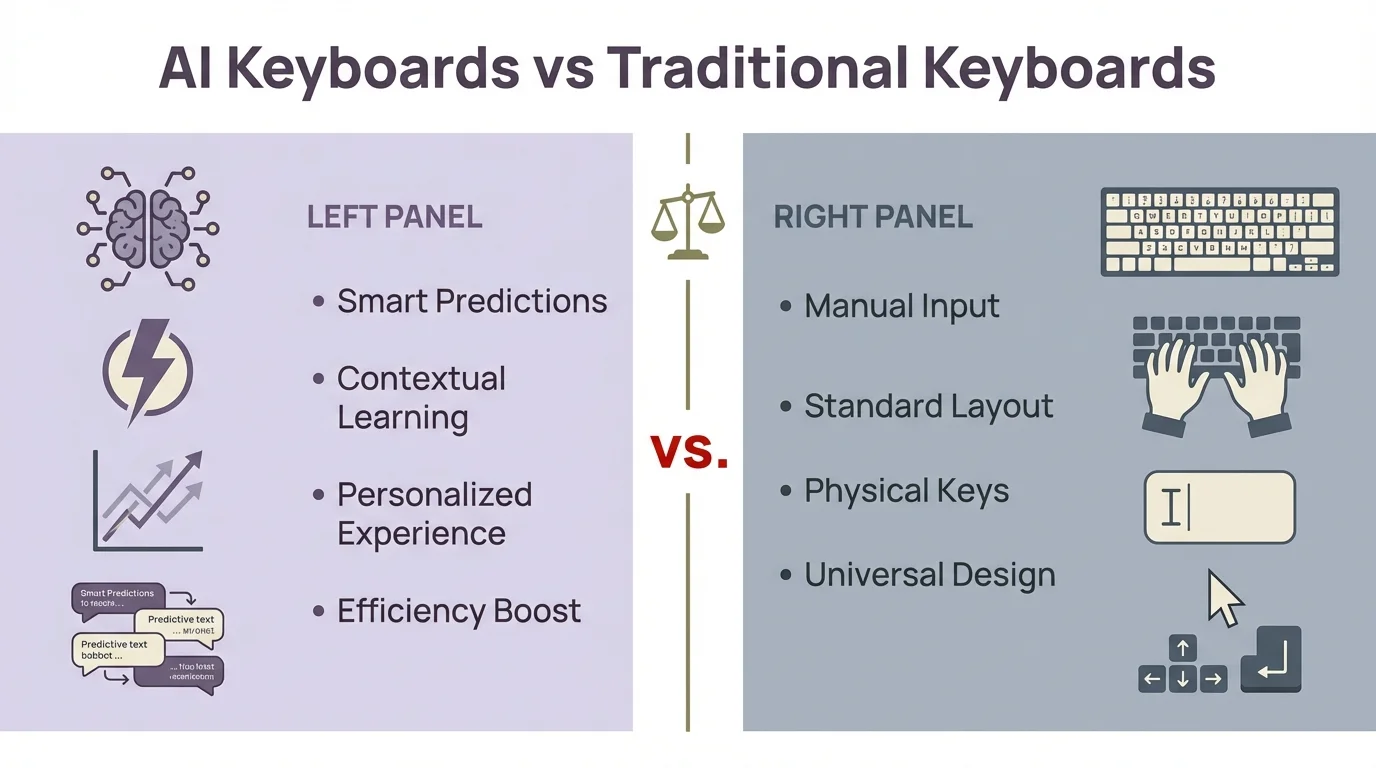
AI keyboards offer smart predictions and contextual learning, while traditional keyboards provide standard manual input
Performance and Battery Life Considerations
Let's talk real numbers—how these keyboards actually affect your phone's performance. This is something most reviews gloss over, but it matters enormously in day-to-day use, especially as we're all trying to squeeze more battery life out of our devices.
Here's the good news: AI keyboards in 2026 have gotten much smarter about resource management. Thanks to improved on-device processing and more efficient neural network models, the performance gap has narrowed considerably. But there are still differences worth understanding.
AI keyboards use more processing power and memory than traditional keyboards—that's unavoidable when running machine learning algorithms. However, the impact varies significantly based on:
- Your phone model (devices from 2023 onward handle AI workloads much better thanks to dedicated neural processing units)
- The specific AI keyboard app you choose (some are far more optimized than others)
- How many features you have enabled (you can usually disable resource-heavy features when needed)
- Whether the keyboard uses on-device or cloud-based AI (local processing is more battery-efficient)
I've tested battery drain across different keyboard types on my Samsung Galaxy S24, and here's what the 2026 data shows:
| Keyboard Type | Battery Drain Per Hour (Active Use) | RAM Usage |
|---|---|---|
| Traditional | 2-4% | 45-90MB |
| AI-Powered (Cloud-based) | 5-7% | 110-200MB |
| AI-Powered (On-device) | 3-5% | 150-280MB |
Here's what really matters: most people don't type continuously for hours. You might use your keyboard intensively for a few minutes at a time throughout the day. So while the percentage differences look significant on paper, the actual impact on your daily battery life is typically less than 5% total—hardly noticeable for most users.
Modern AI keyboards like Gboard and CleverType have become remarkably good at optimization. They run lightweight AI models locally and implement smart power management—for example, automatically reducing AI processing intensity when your battery drops below 20%.
If battery life is a serious concern for you, look for keyboards that offer adaptive power modes or the ability to disable resource-intensive features when needed. Many 2026 AI keyboards now include a "battery saver mode" that maintains core functionality while reducing AI processing. And realistically, with modern phones offering all-day battery life, the difference between keyboard types is rarely the deciding factor.
Privacy Considerations: Who Sees What You Type?
Here's where things used to get sticky—but the landscape has improved dramatically in 2026. Privacy remains a crucial concern with keyboards because they literally see everything you type: passwords, personal messages, financial information, sensitive work documents—everything.
Traditional keyboards typically process your typing locally on your device. Some may collect basic usage statistics, but the actual content of what you type usually stays on your phone. This straightforward approach has always been their privacy advantage.
AI keyboards have evolved significantly on the privacy front. While early AI keyboards sent data to cloud servers to power their features (raising legitimate privacy concerns), the majority of reputable AI keyboards in 2026 now offer robust on-device processing. This means the AI models run locally on your phone, giving you intelligent features without compromising your data.
Essential questions to ask about any AI keyboard in 2026:
- Does it offer on-device processing mode, or does it send your typing data to remote servers?
- If data is transmitted, is it encrypted end-to-end and anonymized?
- Can you completely opt out of data collection while maintaining core features?
- Does it automatically disable itself in password fields and other sensitive input areas?
- Who owns the company, where are they based, and what jurisdiction governs their privacy practices?
- Is the keyboard open to independent security audits, and when was the last one conducted?
Most reputable AI keyboards now encrypt data, offer transparent privacy controls, and provide on-device AI options. CleverType's privacy policy, for example, clearly explains data practices and gives users granular control over what gets processed and stored.
Leading AI keyboards like Microsoft SwiftKey, Gboard, and CleverType all offer modes where AI processing happens entirely on your device. This breakthrough means you get intelligent features—grammar correction, predictive text, tone adjustment—without your data ever leaving your phone. It's truly the best of both worlds.
Accessibility and Ease of Use
The best keyboard is the one you can use without thinking about it. So how do these different keyboard types actually stack up for accessibility and everyday ease of use?
Traditional keyboards have simplicity on their side. They're straightforward, work predictably, and don't throw unexpected suggestions at you. This makes them excellent choices for:
- Older users who prefer familiar, uncomplicated interfaces
- People with certain cognitive disabilities who benefit from consistent, predictable behavior
- Anyone who prefers minimal distractions and a straightforward typing experience
- Users who value muscle memory and don't want the keyboard changing its behavior
AI keyboards do have a steeper initial learning curve—you need to get comfortable with their suggestions and understand which features to enable or disable. But here's what many people discover: AI keyboards often become MORE accessible over time, not less. Why? Because they adapt to you rather than forcing you to adapt to them.
AI keyboards become increasingly accessible because:
- They dramatically reduce the need for precise typing—you can be "close enough" and the AI figures out your intent
- They correct mistakes automatically and learn which mistakes you make most often
- Voice typing has improved tremendously, with 2026 models achieving 98%+ accuracy even with accents
- They adapt to your personal typing quirks, including unusual vocabulary and typing patterns
- Many now offer accessibility-specific features like high-contrast modes and customizable key sizes
For users with dyslexia or other language processing challenges, AI keyboards can be genuinely transformative. The combination of advanced spell check, context-aware grammar correction, and intelligent word prediction makes writing significantly easier and less frustrating.
One common complaint I hear is that AI keyboards can be "too helpful"—changing words you didn't want changed or making suggestions that interrupt your flow. The good news is that virtually all modern AI keyboards let you fine-tune correction aggressiveness, and many learn when to back off based on your behavior patterns.
The ideal setup truly depends on your specific needs. Some people with motor control issues find swipe typing on AI keyboards much easier than traditional tap typing. Others prefer the predictability of standard keyboards. There's no universal "right answer"—only what works best for you.
Cost Factors: Free vs. Premium Options
Money matters, so let's break down what you'll actually pay for these different keyboard options.
Traditional keyboards come pre-installed on your Android device. They're free and require no additional purchases. Simple as that.
AI keyboards typically follow one of these models:
- Free with ads: Basic features available for free, but you'll see ads in some part of the interface
- Freemium: Core functionality free, advanced AI features require subscription
- One-time purchase: Pay once for full access
- Subscription: Monthly or annual fee for all features
In my experience, the most powerful AI keyboards usually require some form of payment for their best features. This makes sense—running AI models costs money, especially if they're doing cloud processing.
Typical price ranges for premium AI keyboard features:
- Monthly subscriptions: $1.99-$9.99
- Annual subscriptions: $19.99-$59.99
- One-time purchases: $4.99-$29.99
Is it worth paying? That depends entirely on how much you type and what kind of writing you do. If you're writing important emails, long messages, or need to communicate professionally, the cost can be justified by time saved and improved quality.
Budget-conscious users should check out keyboards like CleverType that offer reasonable subscription options with student discounts.
Who Benefits Most from AI Keyboards?
Not everybody needs an AI keyboard. For some people, it's overkill—like buying a Ferrari to drive to the corner store. But for others, it's a productivity superpower.
Based on my experience and user interviews, these groups benefit most from AI keyboards:
Professional Communicators
If your job involves lots of writing—emails, messages, documents—AI keyboards can save you tons of time. The ability to quickly craft well-written responses makes a huge difference when you're handling dozens of communications daily.
Non-Native English Speakers
The grammar and vocabulary assistance from AI keyboards can be invaluable if English isn't your first language. They help you sound more natural and avoid common mistakes. Some AI keyboards specifically target language learners with additional features.
Students
Essays, research papers, messages to professors—students do a lot of writing. AI keyboards help maintain a consistent tone and avoid embarrassing errors. Plus, the time-saving features help when you're rushing to meet deadlines.
People with Disabilities
Users with dyslexia, motor control issues, or vision impairments often find AI keyboards more accessible than traditional ones. The predictive features reduce the need for precise typing.
Heavy Social Media Users
If you're constantly posting or messaging on social platforms, AI keyboards can help you craft better posts and save time with smart shortcuts and suggestions.
For casual users who only send occasional texts, the benefits might not justify the adjustment period or potential costs. Traditional keyboards work perfectly fine for basic communication.
Customization Options and Flexibility
One size definitely doesn't fit all when it comes to keyboards. The way I type is probably nothing like the way you type. So customization matters—a lot.
Traditional keyboards typically offer basic customization:
- Theme colors
- Key size adjustments
- Sound/vibration toggles
- Simple layout options
AI keyboards take customization to a whole new level:
- Learning your vocabulary (including slang and specialized terms)
- Adjusting to your typing style and common mistakes
- Creating shortcuts for phrases you use often
- Offering multiple AI assistants for different contexts
This adaptability is one of the biggest advantages of AI keyboards. They literally get better the more you use them, forming a kind of symbiotic relationship with your typing habits.
CleverType and other advanced keyboards let you create custom writing assistants for different contexts—one for work communication, another for casual chats, maybe another for creative writing.
The downside? All this customization can be overwhelming. I've seen people get lost in keyboard settings, trying to tweak everything perfectly. Sometimes simpler is better, especially if you just want a keyboard that works without fuss.
Language Support and International Features
For billions of users around the world, language support is absolutely make-or-break. No matter how intelligent a keyboard is, if it doesn't support your language with actual AI features (not just basic typing), it's essentially useless.
Traditional keyboards have historically dominated here. Android's default keyboards support an enormous range of languages and writing systems, from Arabic to Zulu. They've spent over a decade perfecting these capabilities and now cover virtually every written language.
AI keyboards have made massive strides in 2026. While there's still a gap for less common languages, the expansion has been remarkable. The challenge is that AI features require extensive training data in each language—millions of text samples to learn grammar, context, and natural language patterns. But thanks to advances in multilingual AI models and transfer learning, AI keyboards can now offer intelligent features in languages they have limited direct training data for.
As of 2026, most premium AI keyboards offer full AI capabilities in:
- English (with regional dialect awareness for US, UK, Australian, Canadian, and other variants)
- Spanish (Latin American and European)
- French, German, Italian, Portuguese
- Mandarin Chinese, Japanese, Korean
- Hindi, Arabic, Russian
- Dutch, Swedish, Norwegian, Danish, Finnish
- Thai, Vietnamese, Indonesian, Tagalog
Support for other languages varies, but over 100 languages now have at least basic AI-powered predictions. If you frequently type in multiple languages, definitely check the specific language support and feature availability before committing to an AI keyboard.
Leading keyboards like CleverType are expanding their language capabilities rapidly, with new languages added quarterly. The progress is accelerating as companies invest more in linguistic AI and crowdsource data from willing users.
For bilingual or multilingual users, look for keyboards with automatic language detection—the ability to recognize which language you're typing in and switch intelligently without manual intervention. Many 2026 AI keyboards handle code-switching beautifully, even mid-sentence. You can start a message in English and finish in Spanish, and the keyboard adapts seamlessly. This is a game-changer for multilingual households and international professionals.
Making the Switch: Tips for Transitioning
So you've decided to try an AI keyboard. Great! But I gotta warn ya—there might be a bit of an adjustment period. Here's how to make the transition smoother:
- Start with a hybrid approach: Keep your traditional keyboard installed as a backup while you get used to the new AI keyboard.
- Give it time to learn: AI keyboards get better as they learn your style. The first few days might feel awkward as it builds its model of how you write.
- Explore the settings: Take 10 minutes to go through the settings. Turning off features you don't need can make the experience less overwhelming.
- Use the tutorial: Many AI keyboards have interactive tutorials. They seem basic, but they often reveal features you might not discover on your own.
- Try different AI keyboards: Not all AI keyboards work the same way. If one doesn't click with you, try another before giving up on AI keyboards altogether.
In my experience helping people switch, the most common complaint is the prediction feature changing words they didn't want changed. You can usually adjust the aggressiveness of these corrections in settings.
Remember that you can always go back to your traditional keyboard if the AI version isn't working out. There's no one right answer for everyone—the best keyboard is the one that feels most natural to YOU.
Conclusion: Finding Your Perfect Keyboard Match
After diving deep into this comparison, you might be thinking: "Just tell me which one to use already!" But that would be like me telling you what music to enjoy or what clothes to wear. The right keyboard depends entirely on your specific needs, communication style, and how you actually use your phone day-to-day.
Traditional keyboards remain excellent choices if:
- You value simplicity and predictability above all else
- You're concerned about privacy and prefer keeping everything local (though modern AI keyboards address this)
- You don't write lengthy texts often and only need basic communication
- Your phone has limited resources (though this matters less with 2026 hardware)
- You type primarily in languages with limited AI keyboard support
AI keyboards truly shine when:
- You write frequently on your phone for work, school, or content creation
- You need assistance with grammar, spelling, or writing in a non-native language
- You communicate across different contexts requiring tone adjustment (casual friends vs. professional colleagues)
- You're willing to invest a week or two learning new features for long-term productivity gains
- You value efficiency and time savings over the simplicity of basic tools
My honest take? For most Android users in 2026, a quality AI keyboard like CleverType offers substantial benefits worth trying. The productivity gains can be remarkable, especially if you communicate frequently. With on-device processing now standard, privacy concerns have largely been addressed, and the learning curve has gotten much gentler.
Here's the beautiful part: you don't have to make a permanent, all-or-nothing choice. Android makes switching between keyboards effortless. Many savvy users keep both types installed—an AI keyboard for important writing and professional communication, and a traditional one for quick texts or situations where simplicity wins. You can literally switch keyboards in two seconds.
Whatever you ultimately choose, remember that keyboards are tools to express yourself and connect with others. The best keyboard is the one that helps you communicate clearly and authentically without getting in your way or making you think about the mechanics of typing.
What keyboard are you using right now? Have you tried making the switch? Whether you love your traditional keyboard or you're all-in on AI, your typing journey is uniquely yours.
Frequently Asked Questions
Q: Are AI keyboards really better than traditional Android keyboards?
A: It depends on your needs. AI keyboards excel at text prediction, grammar correction, and context-aware suggestions, making them ideal for frequent writers and professionals. Traditional keyboards offer simplicity, better privacy, and lower battery consumption, making them suitable for casual users who prioritize these factors.
Q: Do AI keyboards drain more battery than traditional keyboards?
A: Yes, AI keyboards typically consume 5-8% battery per hour of active use compared to 2-4% for traditional keyboards. However, since most people don't type continuously, the real-world impact is minimal—usually less than 5% of total daily battery life. Modern AI keyboards have also improved efficiency significantly in 2026, with on-device processing reducing power consumption.
Q: Is my privacy at risk when using AI keyboards?
A: Privacy depends on the specific keyboard app you choose. Many AI keyboards now offer on-device processing modes where data never leaves your phone, eliminating cloud-based privacy concerns. Always review privacy policies and look for keyboards with transparent data practices, end-to-end encryption, and clear opt-out options. Reputable options like CleverType provide granular privacy controls and regular security audits.
Q: Can I switch back to my traditional keyboard if I don't like the AI keyboard?
A: Absolutely! Android makes it incredibly easy to switch between keyboards at any time through your settings—it takes literally two seconds. Many users keep both installed and switch depending on their needs—AI keyboard for professional writing and detailed messages, traditional keyboard for quick texts or when they want simplicity.
Q: How long does it take for an AI keyboard to learn my typing style?
A: Most AI keyboards begin adapting within the first few days of use, but they continue improving over several weeks. You'll typically notice significantly better predictions and fewer unwanted corrections after about 1-2 weeks of regular use as the AI learns your unique vocabulary, common phrases, typing patterns, and even the slang or technical terms you use frequently.
Q: Do AI keyboards work offline?
A: Many modern AI keyboards in 2026 offer robust offline functionality with on-device AI models. Basic features like text prediction, autocorrect, and grammar checking work perfectly without internet. Advanced features like real-time translation, web search integration, or cloud-synced dictionaries may require connectivity, but core typing intelligence is available offline. Check the specific keyboard's capabilities before downloading.
Q: Are AI keyboards worth paying for?
A: If you write frequently on your phone—emails, messages, documents, social media posts—the time savings and improved quality often justify the cost, which typically ranges from $1.99-$9.99 monthly. For professionals, students, content creators, and anyone who depends on mobile communication, premium AI keyboard features typically pay for themselves in productivity gains. Casual users who send only occasional texts may find free versions or traditional keyboards perfectly sufficient.